

Regardless of where you are on the Twitter experience spectrum, a good skill to possess is the ability to search Twitter efficiently and effectively. The amount of information that is streaming through Twitter is mind-boggling but being able to find what you are looking for will help you find new people to follow, track your brand, get answers to questions, or stay updated on the latest news. There are many ways to search Twitter but I would like to explain two ways that I search, and subsequently monitor, Twitter.
Search.Twitter.Com
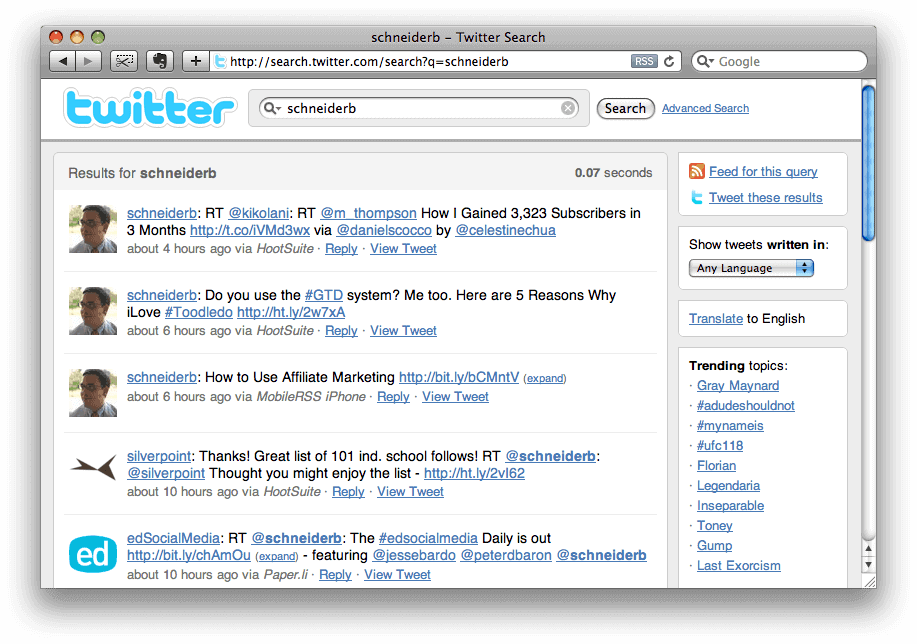
 The first way that I search Twitter, and the one I find the best for novices, is to use Twitter's own search tool at Search.Twitter.com. It's really very simple – you enter any term that you would like to search for and click search. Twitter returns, in reverse chronological order, the results of your query. I urge you to search for your name, your Twitter name, your school, and any competing schools. This is not only a great way to begin to harness the amount of information flowing through Twitter but it will also start you down the path of monitoring your brand.
RSS Feed
I've written before that I use Hootsuite to manage my social media channels, especially Twitter, and usually search through Hootsuite's interface. However, the one advantage to searching with Search.Twitter.com is that you can grab the RSS feed and access that feed in your favorite RSS Reader like Google Reader. A great use of this feature is to conduct a Twitter search of your school name, grab the RSS feed, and then put that feed into your RSS reader. I hope that if you take nothing else away from this post it is to remember the previous sentence. This is a great way to quickly and easily monitor your brand on Twitter.
If you conduct a search using Hootsuite, you won't be able to grab the RSS feed but you will be able to save the search to a Stream in Hootsuite which will allow you to access your search in the same manner as you would in an RSS reader.
 I hope you are now comfortable searching Twitter and know now how to save the RSS feed in order to monitor your search terms on Twitter. As you can see, searching is the easy part, the harder part is determining which terms to search for and monitoring those searches on a daily, weekly, and monthly basis.
Good luck searching and if anyone has a different, better, or more effective way to search Twitter please let me know in the comments below.